Chroot Jail for SFTP: How to Restrict Users to Their Home Directories
Managing a secure file transfer system is crucial for maintaining the integrity and confidentiality of your data. SFTP (Secure File Transfer Protocol) is a widely used protocol for securely transferring files over a network. However, a common issue administrators encounter is ensuring that users can only access their own home directories and not the directories of other users. This is where chroot jail comes into play. Chroot jail is a technique that confines a user to a specific portion of the filesystem, effectively isolating their access to their own home directory.
How to Configure Chroot Jail
Firstly, we need to create a group for the SFTP users. The users from this group won’t be able to access other files other than their files. We will use this group in the SSH config file.
1
groupadd sftp-access
Now we will have to add to this group the users to whom we will limit access
1
usermod -aG sftp-access <username>
Now we need to edit the sshd_config file. We need to delete the next line Subsystem sftp /usr/libexec/openssh/sftp-server and add this line instead: Subsystem sftp internal-sftp.
At the end of the configuration file, we will need to add the following lines:
1
2
3
4
5
6
Match Group sftp-access
   ChrootDirectory %h
   ForceCommand internal-sftp
   X11Forwarding no
   AllowTCPForwarding no
   PasswordAuthentication yes
ChrootDirectory %h-> Set user root directory. If we use %h, the root will be the user’s home directory.ForceCommand internal-sftp-> Force group users to connect only via SFTP, SSH access will be blocked.X11Forwarding no-> Disable X11 forwarding.AllowTCPForwarding no-> Disable port forwarding via SSH tunnel.PasswordAuthentication yes-> If this option is disabled users will have to use RSA keys.
At the final, the config file needs to have these lines
1
2
3
4
5
6
7
8
9
#Subsystem sftp /usr/libexec/openssh/sftp-server

Subsystem sftp internal-sftp
Match Group sftp-access
   ChrootDirectory %h #set the home directory
   ForceCommand internal-sftp
   X11Forwarding no
   AllowTCPForwarding no
   PasswordAuthentication yes
For the changes to take effect we will need to restart the sshd service
1
systemctl restart sshd
User home directories must be owned by the root user and the root group so that the user cannot exit their home directory. They must also have 705 permissions.
1
2
chown root:root <user_home>
chmod 705 <user_home>
All files in the home directory must be owned by the user to whom that files corresponds.
1
chown -R <user>:<user> /home/<user>/*
We need to find the group id of the sftp-access group. This id needs to be added to the /etc/default/useradd so the next users that will be created will be added automatically to the sftp-access group
1
2
3
getent group sftp-access
--- output ---
sftp-access:x:1220:
1
2
3
4
5
# useradd defaults file
GROUP=1220
HOME=/home
INACTIVE=-1
EXPIRE=
We will need to modify the USERGROUPS_ENAB from the /etc/login.defs file. This enables userdel to remove user groups if no members exist.
1
USERGROUPS_ENAB no
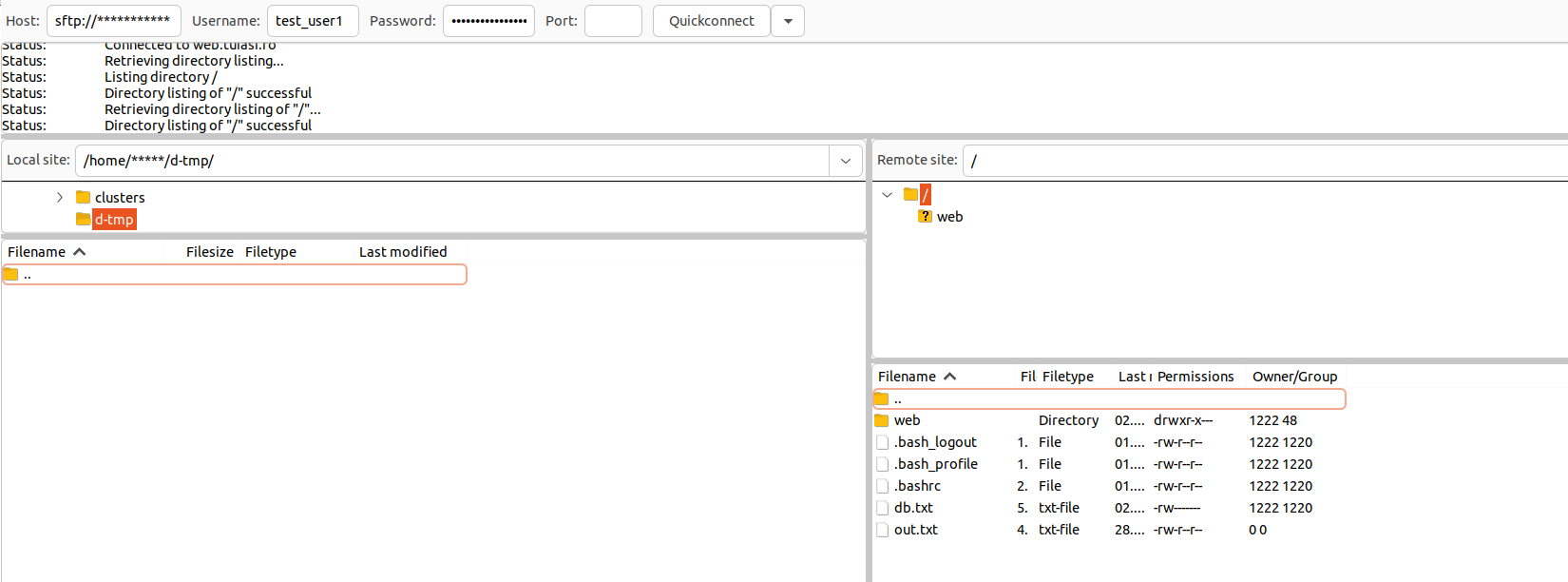
After all the modifications we can check if the user has access to other resources.